My Obsidian Process
Current Set-up and Problems
My writing, inspirations, thoughts, lives on various platforms and/or in various services, and apps. It
- lacks consistency in
- naming conventions;
- document formatting;
- software of origin (Scrivener, MS Word, Pages, etc.)
- is not searchable;
- limited access and archival: digital copies only; not saved in multiple locations.
My Goals
- combine my digital knowledge base and writing
- WRITE consistently
My Wants and Needs
My brain and my heart have different needs. To accomodate both, I need a system that will
- keep me engaged;
- feed my tendency to rabbit hole;
- be easily sustainable/repeatable
- ranslate to paper and pen (format) without much work;
- not make me feel like an idiot when trying to customize the system;
- not be so process-intensive that I forget what I initially want to do;
- not make me compromise my/someone else's humanity.
Solving the Problem
Many of my clients ask me to recommend the best planner or software to help them reach their goals. I tell them what a friend once told me:
The best system is the one that gets you to do whatever you need to complete. The best is the one you will use.
Current Tools:
I began with an audit of my current tools. I have a long tech life and many devices but not all are in uses or necessary. The following are the items I use and find necessary. I do not link to specific products. Shop where you like.
Hardware and Peripherals
- Starletta (Windows PC) See my Computer Specs.
- Mouse (depends on pain level)
- Logitech MX Ergo S Plus mouse
- Logitech MX Vertical mouse
- Logitech G502 Hero mouse
- Logitech HD Pro Webcam C920
- Yeti Classic Mic
- Mouse (depends on pain level)
- Headphones (depends on sensory state)
- Soundcore AeroFit 2 Open-Ear Wireless Earbuds
- Soundcore Sport X20 earbuds
- Beats Headphones
- iPhone 13 Max Pro
- Kindle Paperwhite (11th gen)
Software
- Obsidian (Why Obsidian)
- Plugins
- Obsidian Web-clipper
- Obsidian Digital Garden Publisher Plugin
- QuickAdd (plugin for fast capture)
- Bases (Obsidian's built-in tables)
- Plugins
- Github
- Vercel (hosts this site)
- The StoryGraph (for tracking read and to-be-read books)
- Claude by Anthropic AI Policy
Analog
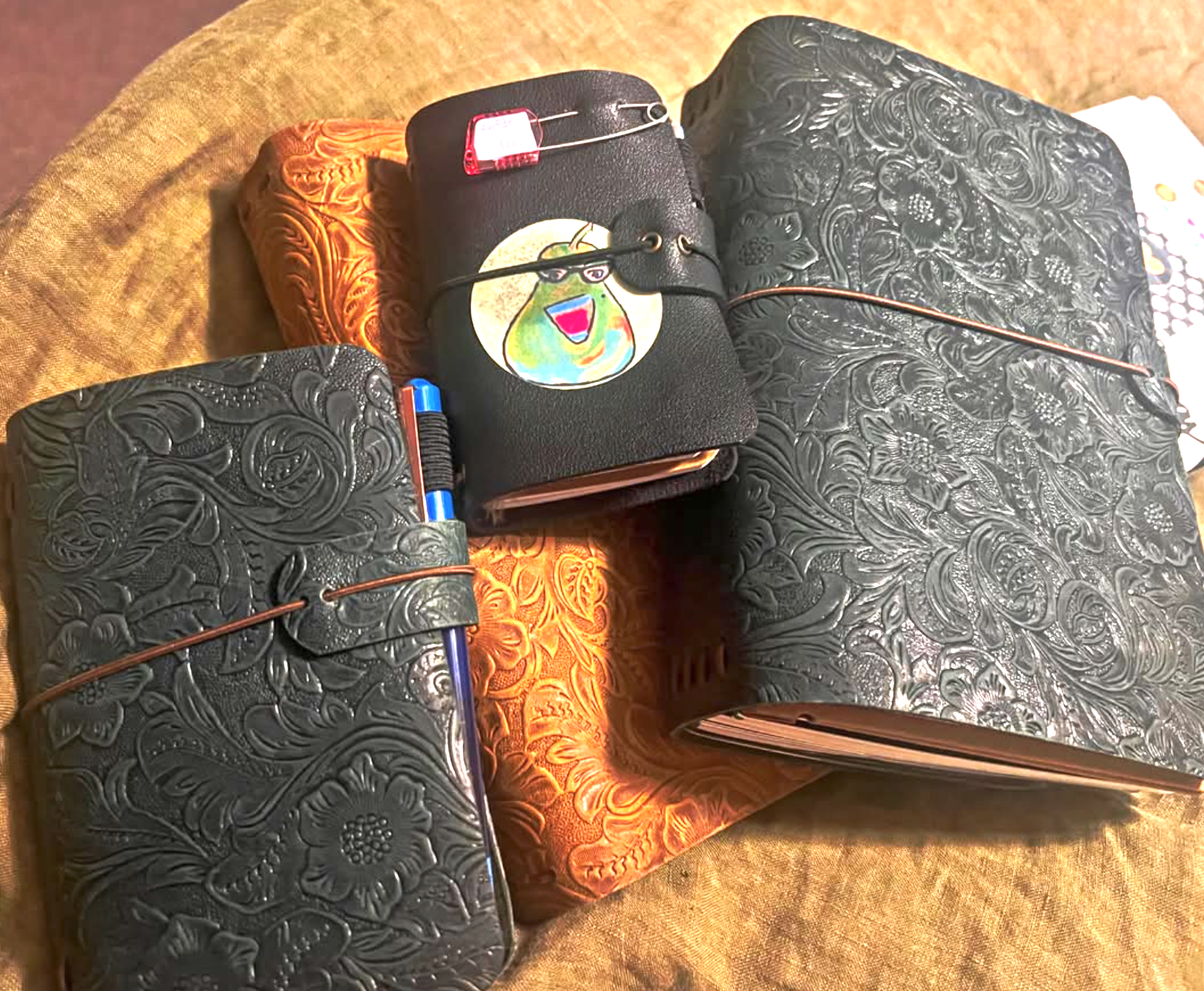
Several leather notebooks made by my friend, V3 Leather Journals.
How It Works Now
Everything lives in one Obsidian vault, and the vault runs on rules instead of a tower of folders. The skeleton comes from Obsidian CEO Steph Ango (kepano) and their post on using Obsidian. The trimming came later sparked in large part by Ryan and Helen's work at Stimpunks.
Three questions per note
Every note answers two questions in its properties, and a public note answers a third:
- What kind of note is this? That's
categories. - What is it for? That's
projects. - Which area does it belong to? That's
area: Learning, Living, or Building. The home page explains each one.
Folders don't matter much. A note shows up in the right table because of its properties, not because of where I dropped it. Tags carry topics that cut across projects, like my cult series.
The projects
- FLOE (For Love of Education): the alternative learning program and education consultancy I'm building. Includes a collection of ideas for individualized learning and enrichment, inclusive lessons, workshops and courses, teaching, and anything educational (or learning-centered) in focus.
- Writing: creative and sometimes more scholarly in tone ( my ongoing cult series). Will include some writing starts and some Mercurial Stories (more on that later).
- MMN (My Mercurial Nature): my lifestyle and learning brand. My Living Journal, YouTube channel, and Podcast live here.
- Commonplace Notebook: quotes or ideas said by others but interesting or impactful enough that I want to keep them close to me. These will remain unchanged. When and if I need to add my words, I will react to that note.
Where things land
- Notes for anything I write. They are tagged with
inboxuntil I finish processing the note. Processing means choosing aproject, acategory, and sometags. - Clippings for things saved from the web. These are unchanged and I use new notes for my response to the Clipping, should I want to. Most times I am clipping for a later use/read. Clippings never go public.
- References for books, people and quotes, things that exist outside me
- Daily for one note per day
- Weekly for one note per week. This will go public.
Anything I stopped using went to an archive folder. Nothing got deleted.
Sources stay sources
A Clipping is a copy of someone else's work, so I leave it alone. My reaction goes in its own note that links back to it. The New Brainstorm or reaction command starts that note for me, with the clipping already linked. Later I can always tell what I read apart from what I thought about it.
Commonplace Notebook
The rules come from the Stimpunks Zibaldone:
The spine of this is TASL — Title, Author, Source, Licence, which is Creative Commons’ own shorthand for crediting something you have reused. It is the right skeleton for a photograph, where the thing you are pointing at is one file at one address. A quotation needs three more, marked + below: which printing, where you found it, and what it is for.
- 30 words or fewer;
- no song lyrics;
- a citation someone else could check: author, title (chapter and page when I can), edition, year, publisher, license, and where I found it.
A small script refuses to save an entry that breaks a rule. That helps on the days my brain wants to skip steps. When I find a quote on the web, I highlight it and clip it with my Commonplace Entry template. Several highlights from one source go into one note with Commonplace Entry Multiple. Every published quote shows its full citation at the bottom of the page.
Filling in a citation
Every entry starts with medium: Book, Web, Video, Audio, or Other. It decides which fields a quote needs. My web clipper sets it to Web for me, and the Commonplace command asks.
What goes in each field, using my highlights from The Plague (a book) as the example:
| Field | What goes in it | Example |
|---|---|---|
| author | Who wrote it. Each name as a link, so their People note gathers their quotes. | Albert Camus |
| work | The title of the book, essay, poem, or post. | The Plague |
| location | Chapter, page, or Kindle location. I leave it blank when a note holds several quotes, since each quote already has its location under it. | (blank) |
| edition | Books only. Which printing I read, with the translator and format. A different translation means different words. | Laura Marris translation, Kindle edition |
| year | For a book, the year of that edition, not the year the work first came out. For anything else, the year it was posted, or "n.d." when no date shows. | 2021 |
| publisher | Who published it. For a web page, the site. For a video or podcast, the channel or show. Not the author, and not where I bought it. | Alfred A. Knopf |
| license | What others may do with the text. Most books are "All rights reserved." Old works may be "Public domain." Some say "Creative Commons" plus which one. | All rights reserved |
| found-in | Where I came across it: my own copy, a person who shared it, or the page that quoted it. | My Kindle copy |
| checked | The date I compared the quote against the source, word for word. | 2026-10-20 |
Things that trip me up:
yearis the book's year.publishedis when I posted the note.- A translator goes in edition. The original writer stays the author.
- "n.d." means no date. It's an honest answer, not a missing one.
- Location and checked are always optional, but checked is how I know the words are exact.
A quote can't go public until the fields for its medium are filled in:
| Medium | Required |
|---|---|
| Book | author, work, edition, year, publisher, license, found-in |
| Web | author, work, publisher (the site), year, license, found-in |
| Video or Audio | author, work, publisher (the channel or show), year, license, found-in |
| Other | author, work, found-in |
When medium is blank, the entry is treated as a book. Older Commonplace Notebook entries (before October 1, 2026) don't follow these rules.
Concepts
One note per idea: examples: DARVO, triangulation, Universal Deign for Learning, monotropism. Every draft or lesson that uses the idea links to it, so each concept page gathers everything that touches it.
Daily notes
Quick thoughts land in the daily note with a timestamp. At the end of the day, one command saves a list of every note I made or edited. If I forget, it catches up the next time I open Obsidian. If I miss a whole day, Daily: note for another day makes the note for that date and fills in what it can. The system is built for the days I'm running low, not only the good ones.
Daily notes are Personal. They never go public.
Reviews
Once a week and once a month, one command reads my daily lists and writes a Week in Review or Month in Review. Public notes show up as links. Everything else shows up as a count, so the review tells the truth about the work without opening private notes. The reviews are public, under Updates in the sidebar.
Publishing
This site is the public slice of the vault. A note stays private until I check a box on it, and my publish rules decide whether it can go out at all.
- Every public note needs an area.
- Drafts never go out, even if I check the box by mistake. A note counts as a draft if its category is Drafts or its status is draft.
- Personal notes, daily notes, and clippings never go out.
- A note that embeds a private note can't go out until that private note is public too.
The site menu follows Project, then Category, then Note. Each note also shows its area, project, and category under the title. Click any of them to see everything that shares it. Every tag has its own list on the Tags page.